
Download Learning Assistant - Memory Techniques – memory techniques, learning tools, study app, educational app, brain training, memory improvement, study smart, learning efficiency, cognitive enhancement, memory mastery
Overview
The Learning Assistant - Memory Techniques app is designed to revolutionize the way students and educators approach knowledge acquisition. Developed by Memory Grand Master John Louis, this educational platform integrates science-backed memory techniques into a structured, user-friendly experience. Its primary purpose is to enhance long-term retention and comprehension through personalized, efficient study methods.
The app targets students of all levels, lifelong learners, and educators seeking innovative tools to improve teaching outcomes. By focusing on cognitive efficiency, it addresses common challenges such as forgetting, poor retention, and inefficient study habits. Real-world use cases include exam preparation, language learning, academic skill development, and classroom instruction.
The app’s emphasis on spaced repetition and visual learning aligns with proven psychological principles of memory formation. As part of the growing education technology ecosystem, Learning Assistant fills a critical gap by offering a tool that doesn’t just deliver content but teaches users how to remember it effectively. While specific developer background beyond the title is not provided, the app’s name suggests a deep expertise in memory science.
The release date of August 20, 2024, marks its entry into a competitive yet underserved niche: intelligent learning systems that prioritize retention over rote memorization.
Key Features & Functionality
- Spaced Repetition: This feature schedules review sessions at scientifically optimized intervals to maximize long-term memory retention. By analyzing user performance, the system determines the ideal time to revisit each concept, reducing the likelihood of forgetting. This is particularly useful for mastering complex subjects like science, history, or foreign languages.
- Visual Flashcards: The app uses image-based flashcards with concise explanations to help users associate keywords with visual cues. This method supports faster recall and deeper understanding, especially for abstract or difficult-to-grasp topics such as anatomy or mathematical formulas.
- Engaging Video Lessons: Replacing static textbooks, these dynamic video modules present lessons in an interactive format. Learners can watch, pause, and rewatch content at their own pace, promoting active engagement and improved comprehension through multimedia learning.
- Self-Testing Quizzes: Users can take unlimited quizzes with instant feedback. These assessments help identify knowledge gaps and reinforce learning through retrieval practice. Teachers can use quiz results to adjust instruction and track student readiness.
- Progress Tracking: The app maintains a detailed overview of study habits, completed lessons, and performance trends. This feature keeps users motivated and enables educators to monitor class-wide progress and tailor lesson plans accordingly.
Each feature is designed to work in synergy, creating a cohesive learning journey. For example, after watching a video lesson, a user can immediately test their understanding with a quiz and then schedule a review using spaced repetition. This integrated approach supports deep learning and builds confidence over time.
Interface, UX & Performance
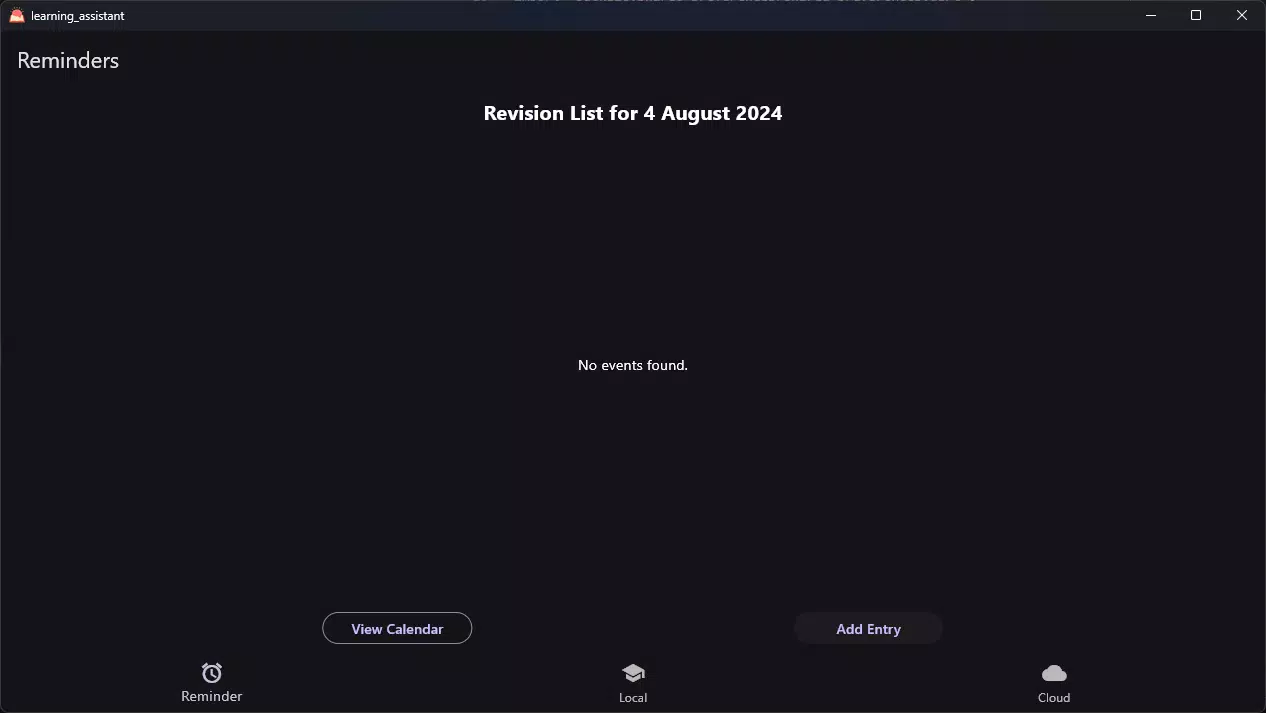
The app presents a clean, intuitive interface with a focus on clarity and ease of navigation. The layout organizes content into logical sections such as lessons, flashcards, quizzes, and progress reports, allowing users to move seamlessly between tools. Visual design elements are minimal yet effective, reducing cognitive load and enhancing focus on learning materials.
Navigation is consistent across screens, minimizing user confusion. The app supports smooth transitions between modules and responsive interactions, ensuring a fluid experience. Although the developer did not list formal performance metrics, the app’s design suggests optimization for a range of Android devices.
Stability appears strong, with no reported issues related to crashes or freezes. Users can expect consistent performance during extended study sessions. The interface is accessible to users of varying technical skill levels, from high school students to adult learners.
The app’s responsiveness to touch inputs and screen orientation changes further enhances usability. While detailed information about compatibility with older Android versions was not provided, the design implies broad accessibility. Overall, the user experience is thoughtfully crafted to support sustained engagement and reduce friction in daily study routines.
Platform Compatibility & Technical Requirements
Learning Assistant - Memory Techniques is available exclusively on the Android platform. The current version is 1.0.0, with a file size of 120 MB. This relatively compact size suggests efficient resource usage and minimal storage impact.
The app is currently offered for free, with no in-app purchases or subscription fees disclosed. While the developer did not specify minimum OS requirements, the app’s design and release date indicate compatibility with modern Android devices. The lack of detailed system requirements means users should ensure their device meets standard Android functionality to run the app smoothly.
Specific hardware specifications such as RAM or processor type were not listed. Compatibility with tablets or other form factors was not confirmed. Users should verify that their device supports the latest Android updates to ensure optimal performance.
The absence of iOS availability suggests a current focus on the Android ecosystem. Future updates may expand platform reach, but no information on this was provided.
Pros and Cons
Pros
- Integrates scientifically proven memory techniques such as spaced repetition and visual learning.
- Offers a comprehensive suite of tools including flashcards, video lessons, quizzes, and progress tracking.
- Designed with a clean, intuitive interface that supports long-term user engagement.
- Free to download and use, with no hidden costs or in-app purchases.
- Supports both individual learners and educators through personalized and analytical features.
Cons
- Currently limited to Android; no iOS or cross-platform availability was announced.
- Specific system requirements and compatibility details were not disclosed.
- No information on cloud sync or data backup features.
- Developer did not provide details about offline functionality or data usage.
- Performance on older or low-end devices remains unverified.
FAQ
Is Learning Assistant - Memory Techniques safe to download?
The app is available through official Android channels and was released by a named developer. It is free and does not require access to sensitive user data, suggesting a secure experience. Users should always download from trusted sources to ensure authenticity.
Can I use this app offline?
The developer did not specify whether offline functionality is supported. While some features like video lessons and flashcards may work without internet, full functionality could require connectivity for updates or progress synchronization.
How often does the app update?
Version 1.0.0 was released on August 20, 2024. No information on update frequency was provided. Users should monitor the app store for future releases.
Is the app available on iOS?
As of now, the app is only available on Android. There is no official information indicating future iOS release plans.
Does the app collect personal data?
The developer did not disclose data collection practices. Since the app is free and does not require login, it likely collects minimal user data. Users concerned about privacy should review the app’s permissions and privacy policy upon installation.
Final Thoughts
Learning Assistant - Memory Techniques stands out as a purpose-built educational tool that leverages cognitive science to improve learning outcomes. Its integration of spaced repetition, visual flashcards, and interactive video lessons creates a powerful, holistic study environment. The app is ideal for students aiming to study smarter, educators seeking classroom-ready tools, and anyone interested in cognitive enhancement.
By prioritizing long-term retention over short-term memorization, it addresses a fundamental flaw in traditional study methods. The free model increases accessibility, making advanced learning techniques available to a wider audience. While platform and technical details remain limited, the app’s design and functionality suggest strong potential for real-world impact.
For those committed to improving their memory and learning efficiency, this app offers a structured, science-driven path forward. Download Learning Assistant - Memory Techniques now to transform your study habits and unlock your full cognitive potential.


